How landed works · updated 2026-11-04
Where can I see the applications landed sent?
Short answer
Every application lives in your landed Inbox, under Sending while landed prepares it and Sent once it reaches the employer. Each one shows where it is, from Sent to Seen, Talking and Offer, and tells you when it needs something from you.
Sending and Sent
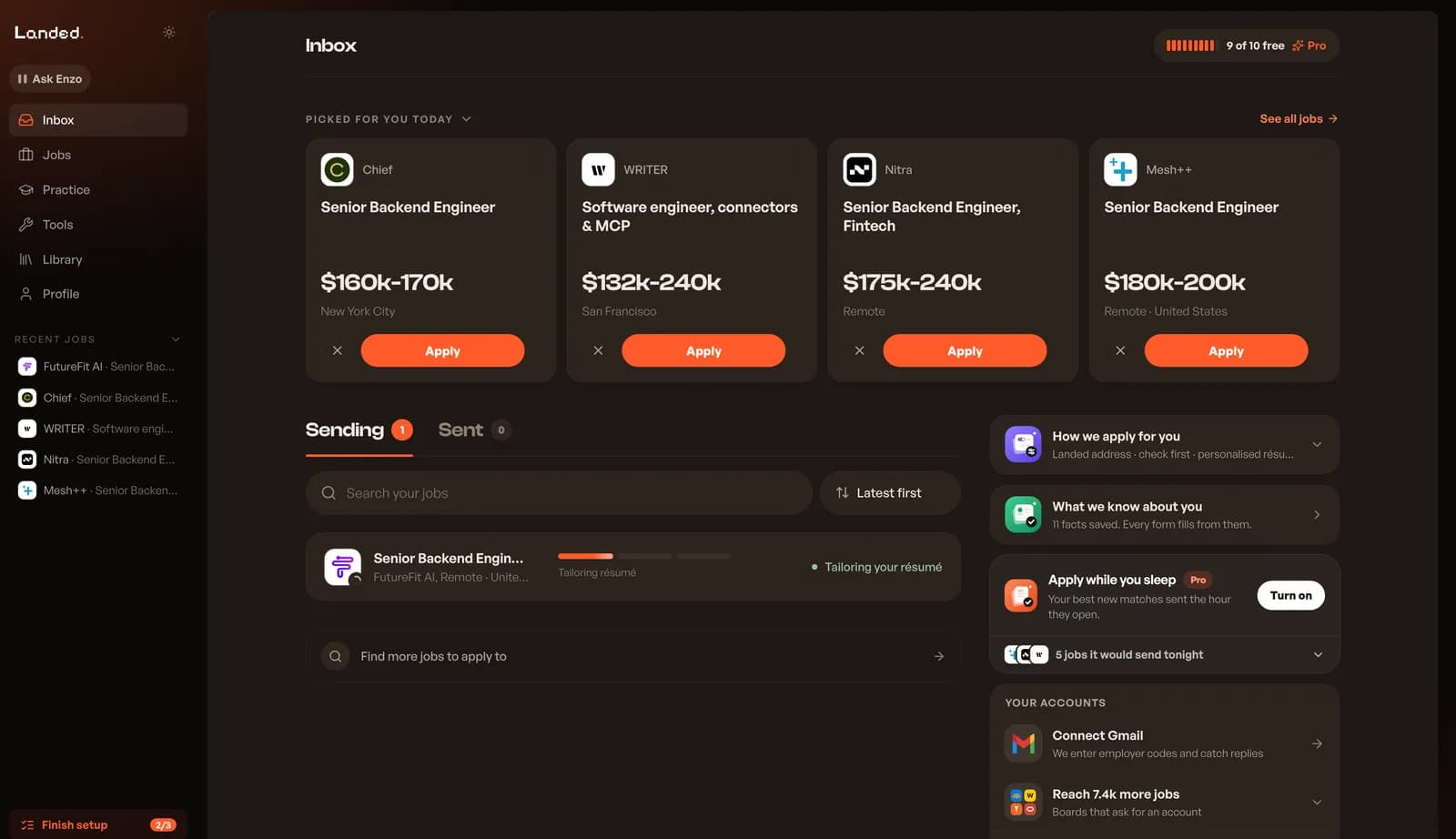
The Inbox has two tabs with counts. Sending holds applications landed is still preparing or that are waiting on you. Sent holds the ones with the employer. Applications that were cancelled or could not be sent fold into a Closed group. Search by title, company or place, and sort by latest, needs you first, oldest or company name.
While landed is applying
A row in Sending has a three-part bar for résumé, form and send, with a label such as Tailoring résumé, Filling the form, Sending or In the queue. Open the row to see each step in detail.
When it needs you
Some applications stop for one thing only you can do. The button names it.
- Check and send
- Answer questions
- Enter the code
- Confirm by email
- Connect Gmail
- Sign in once
After it is sent
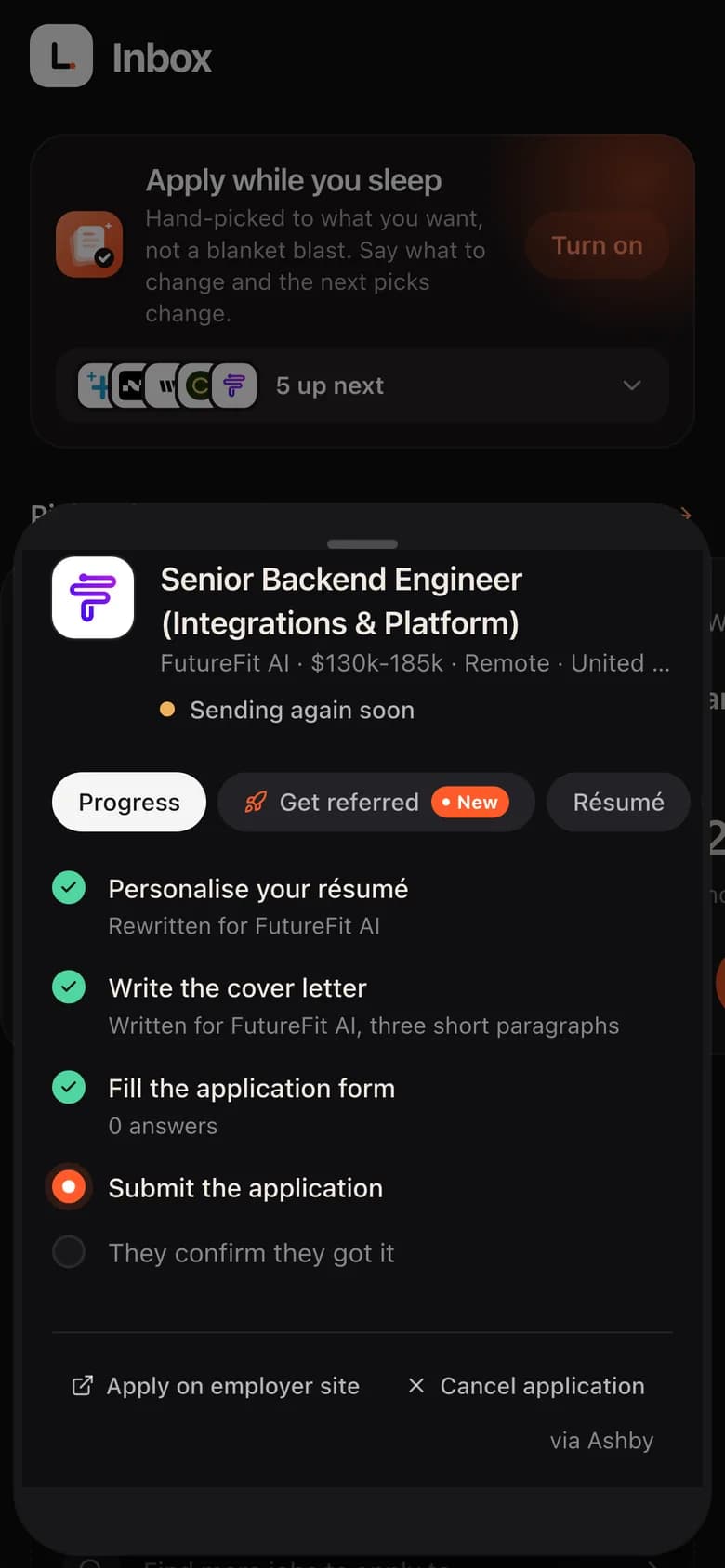
Sent applications show four stops: Sent, Seen, Talking and Offer. The next stop is marked, with a note such as "waiting to hear back". Rows show short statuses like Confirmed, In review or who replied. When the employer's confirmation email arrives, landed ticks They confirm they got it.
On your phone
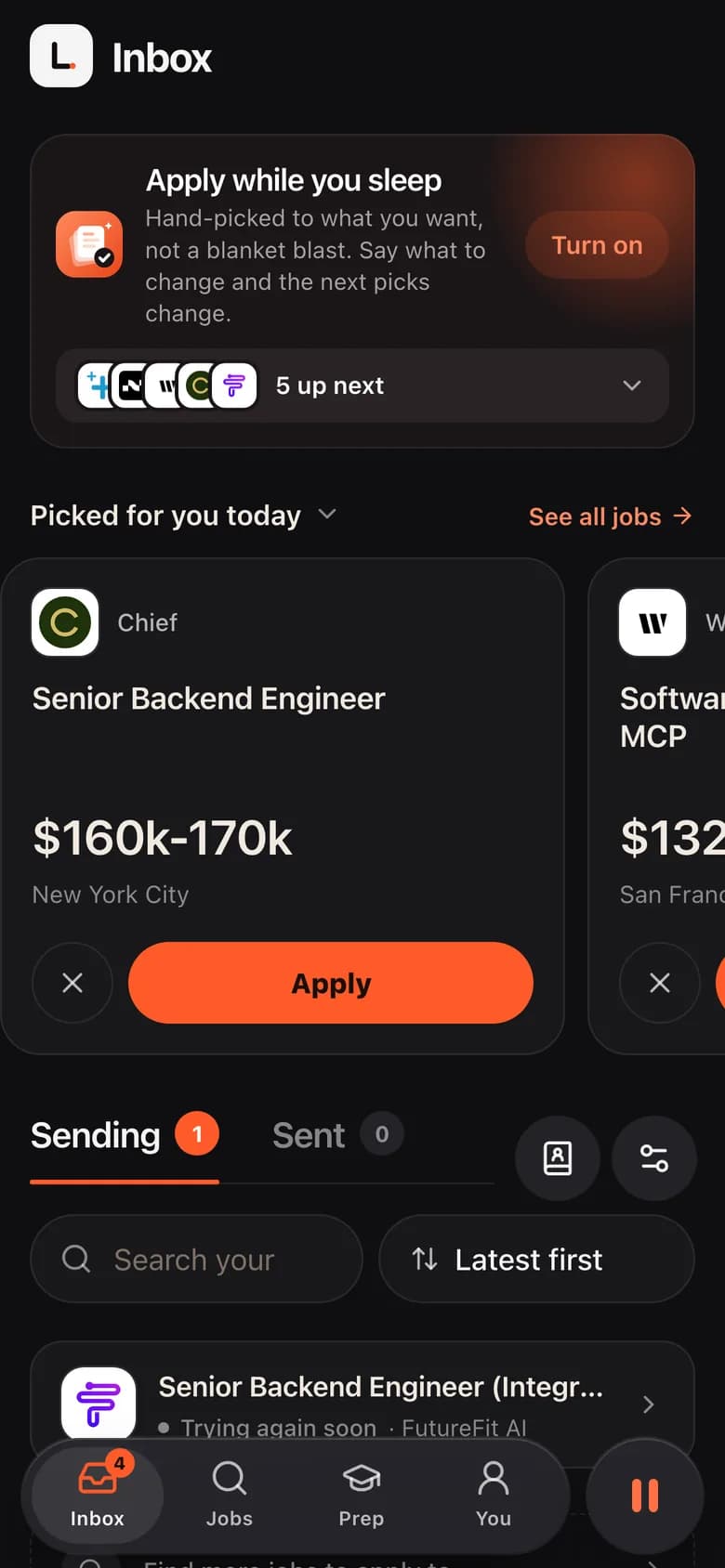
landed works in your phone's browser with the same Inbox, Jobs, Prep and You tabs. Open an application to see its progress, résumé, the job and the company.
One application, step by step
Each application has tabs for Progress, Get referred, Résumé, the job description and the company. At the bottom you can open the employer's own form or cancel the application.
landed applies. You interview.
Let landed apply for you
10 free applications, no card. Answers written for every job, on the company’s own site.
Keep reading