How landed works · updated 2026-11-04
Can I review applications before landed sends them?
Short answer
Yes. Turn on Check before sending and every application waits in your Inbox until you press Send now; turn it off and landed sends each one as soon as it is ready. With Pro, Apply for me also applies to your best new matches overnight.
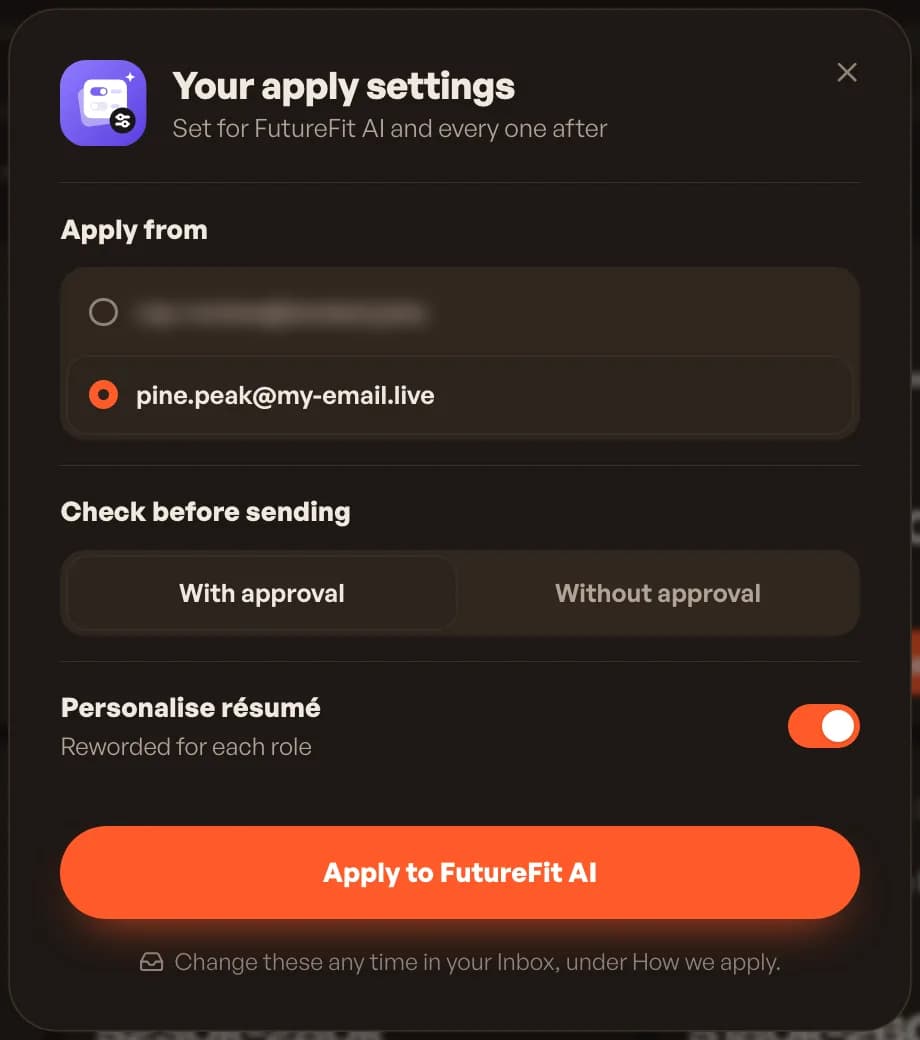
Your apply settings
The first time you press Apply, landed asks three things and keeps your answers for every application after.
- Apply from: your landed email address, or your own Gmail
- Check before sending: With approval or Without approval
- Personalise résumé: reworded for each role, or sent as it is
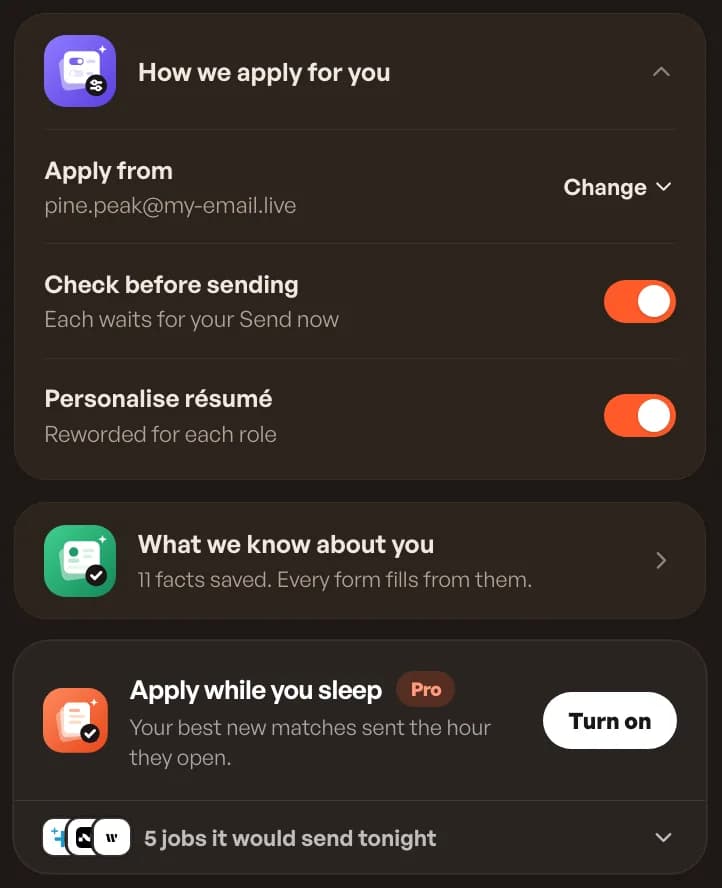
Change them any time
In your Inbox, open How we apply for you to switch any setting. With Check before sending on, the card reads "Each waits for your Send now". Off, it reads "We send as soon as it is ready".
Checking an application
An application waiting for you shows Check and send in your Inbox. Open it to read the tailored résumé, the cover letter and the form answers, edit anything, then send. Use Needs you first in the sort menu to bring these to the top.
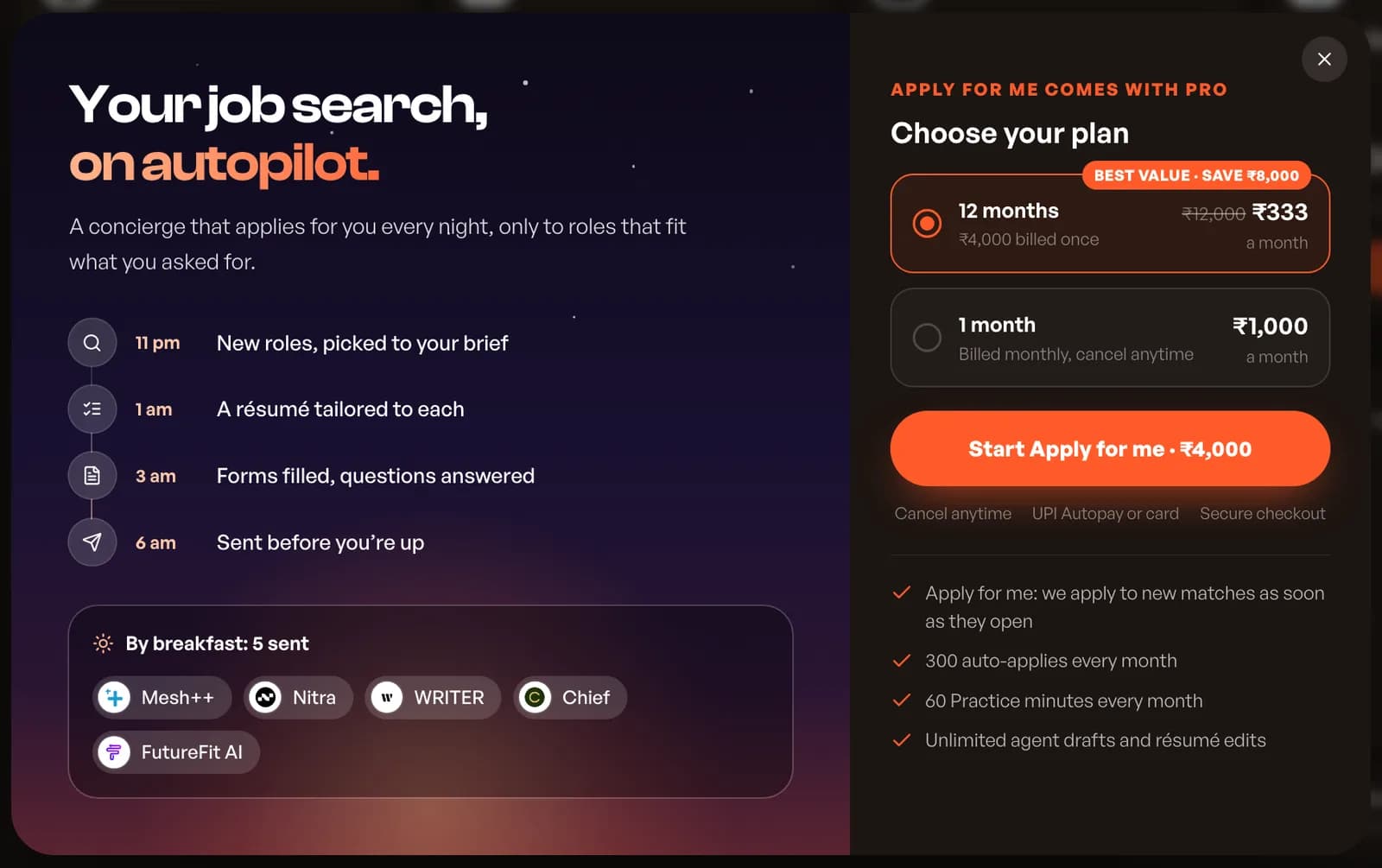
Apply while you sleep (Pro)
Apply for me is landed's autopilot. landed picks new roles that fit your brief as they open, tailors a résumé for each, fills the forms and sends them, including overnight. Turn it on from the Apply while you sleep card in your Inbox, and pause it from the same card. landed picks the best roles fresh at each send.
Your landed email address
Every account gets its own landed address. Apply from it and landed catches employer verification codes and replies for you. Apply from your own Gmail instead and connect it, so landed can read the codes employers send there.
Good to know
How sending is counted.
- Each application you send uses one from your allowance
- A failed send gives it back
- Cancel application stops one that has not been sent
- Apply on employer site opens the original form if you would rather do it yourself
landed applies. You interview.
Let landed apply for you
10 free applications, no card. Answers written for every job, on the company’s own site.
Keep reading